Notes that stay with you
while you work.
A sticky-notes app that hovers at the edge of your desktop. Hover to see them, click to write, and they get out of your way the second you're done.
Trusted by teams at
Chosen by people who prioritize efficiency, security, and clear value
Dock Port
Manage your notes
free port for everything else
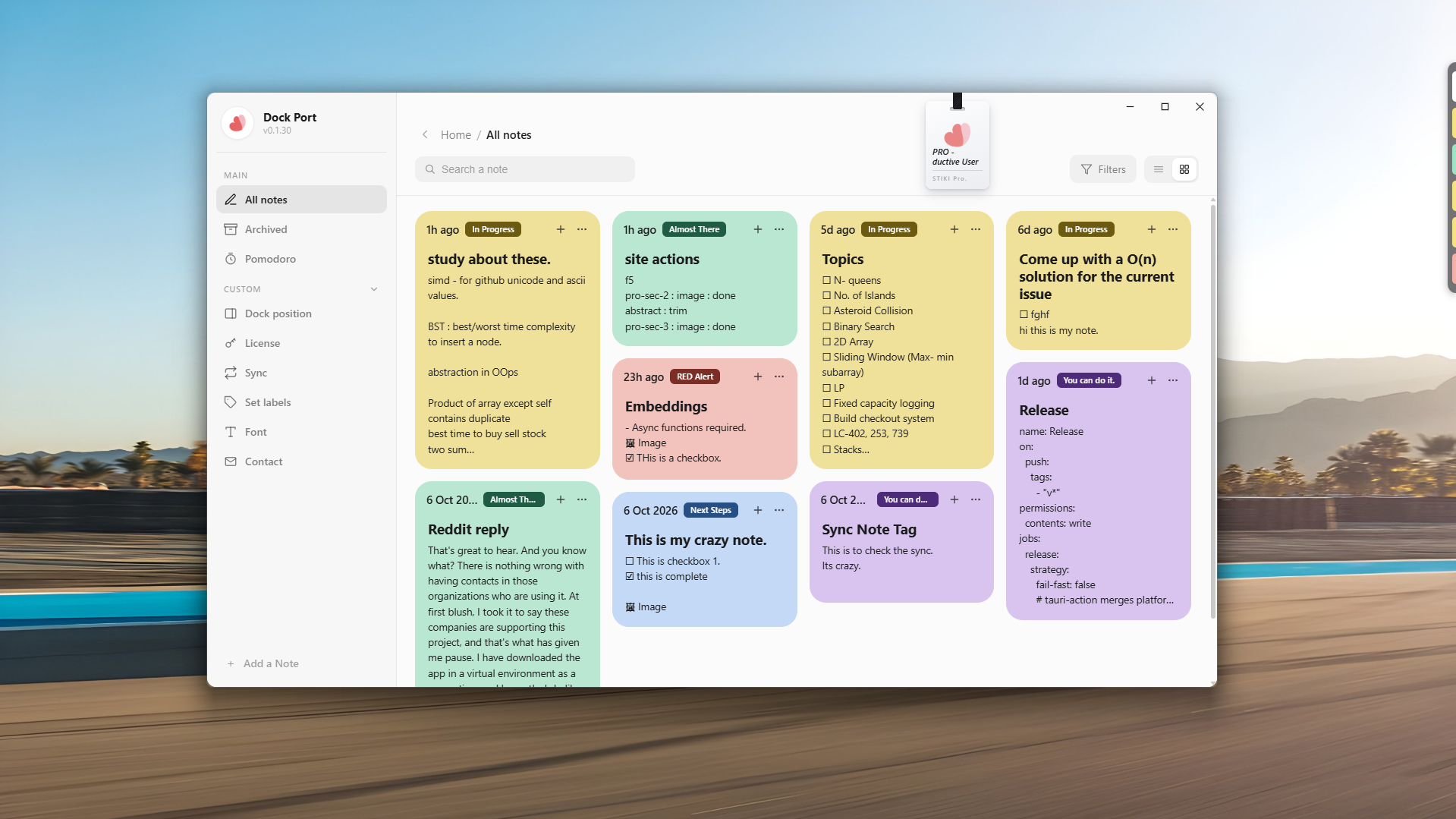
A task-view hub that holds every note — active or archived. Open it to search, sort, and manage your entire deck from one place.
Lighter, more private,
and simpler than
any notes app you've used.
We stripped Stiki down to exactly what a note needs to be; nothing running in the background, nothing leaving your machine.
Lightweight
Written in Rust and Tauri, without any bundled browser. Stiki idles at a fraction of what Electron-based note apps use; you'll never see it in your fan noise.
Read moreActually private
No cloud, no accounts, no analytics. Your notes exist only on your screen — visible to you, and no one who happens to be near your desk.
Read moreDead simple
No setup, no sync servers, nothing to configure. Hover the edge of your screen, click to write, done. The way a sticky note should work.
Read moreStiki uses no telemetry and makes no network calls while you write. Everything is stored in a single file local to your machine.
Every animation runs off native OS windows, without using a webview render loop; so it stays smooth even on years-old hardware.
Features
Your notes, always within reach
never in your way
Stiki lives at the edge of your screen. Hover to see your notes, click to edit, and they collapse the moment you're done. Simple, fast, invisible until needed.
Edge dock
A thin strip at your screen edge. Hover to fan out, click to open. Never blocks your desktop.
Pinned notes
Keep one note on top while the rest stay at the edge. Pin what matters, unpin when done.
Any edge you like
Left, right, top, or bottom — drag the stack wherever it's easiest to reach.
Five colors
Sort by color so you know what's what before you even open a note.
What do you actually get
in Stiki Pro?
For lifetime support. Five upgrades that turn a quick sticky note into a small, quiet workspace.
See ProLabels
Set your own labels on any note. Name them, color them, and filter your deck by what a note is for, not just what color it is.
Get Pro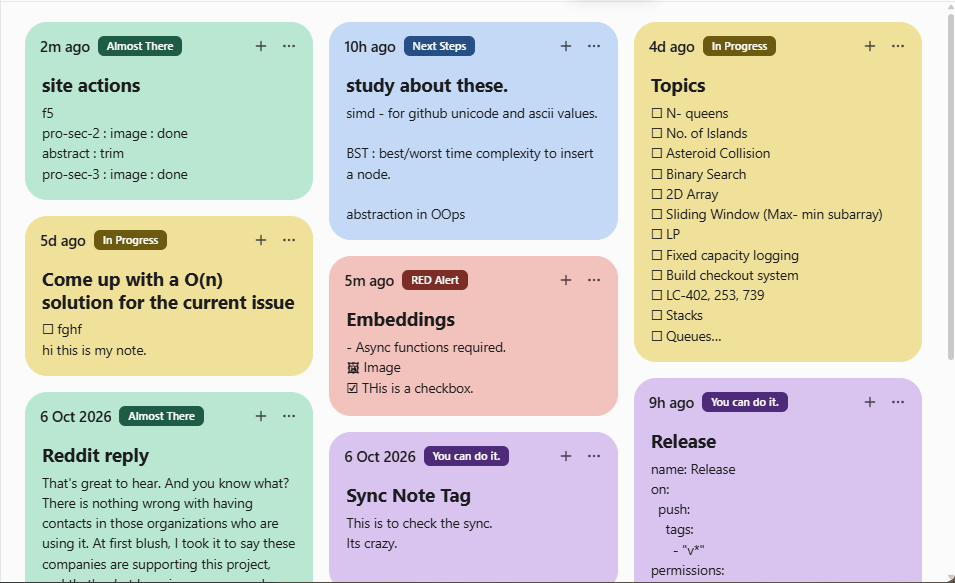
Pomodoro
A built-in focus timer with task allotment. Assign a note to each session, work in short sprints, and see what you actually finished.
Get Pro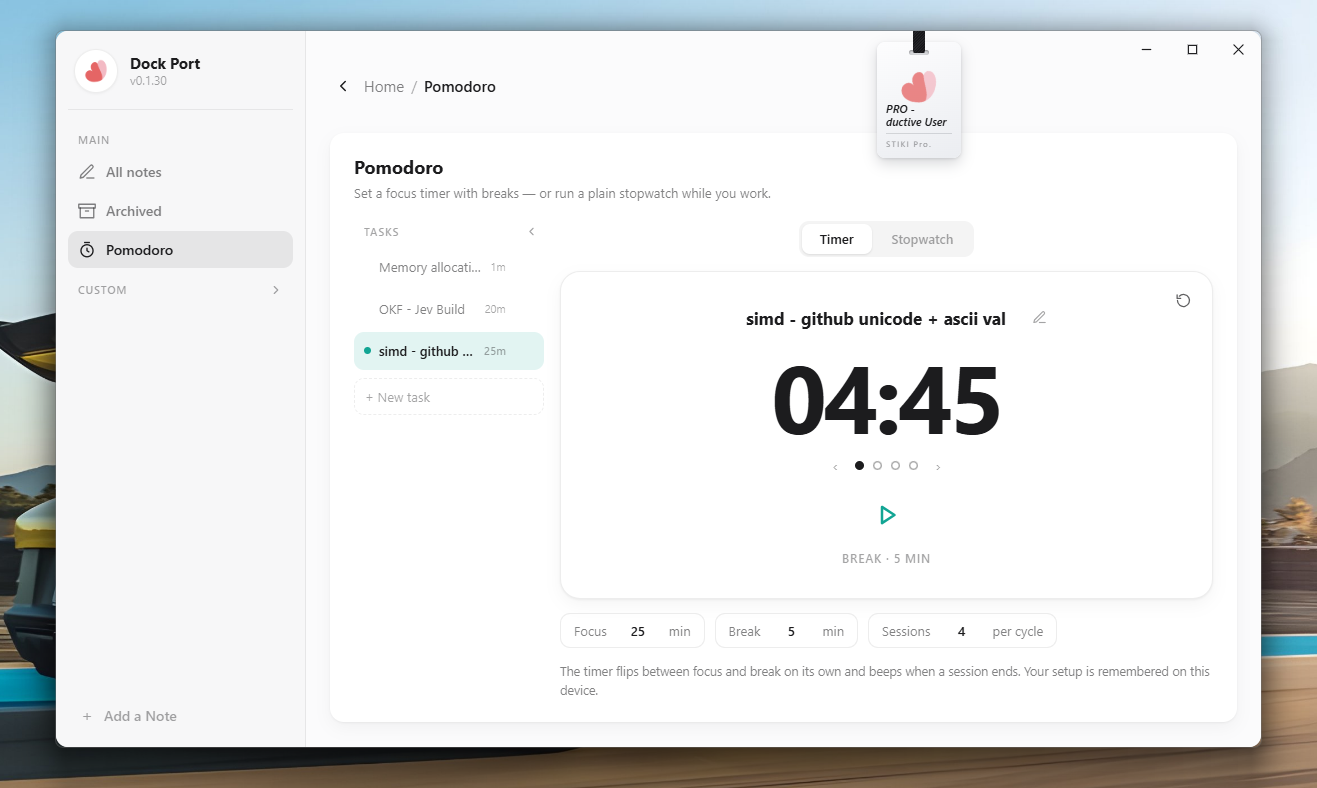
Images & checkboxes
Drop images straight into a note and tick off tasks with markdown checkboxes. Quick reference shots and to-do lists, in one place.
Get Pro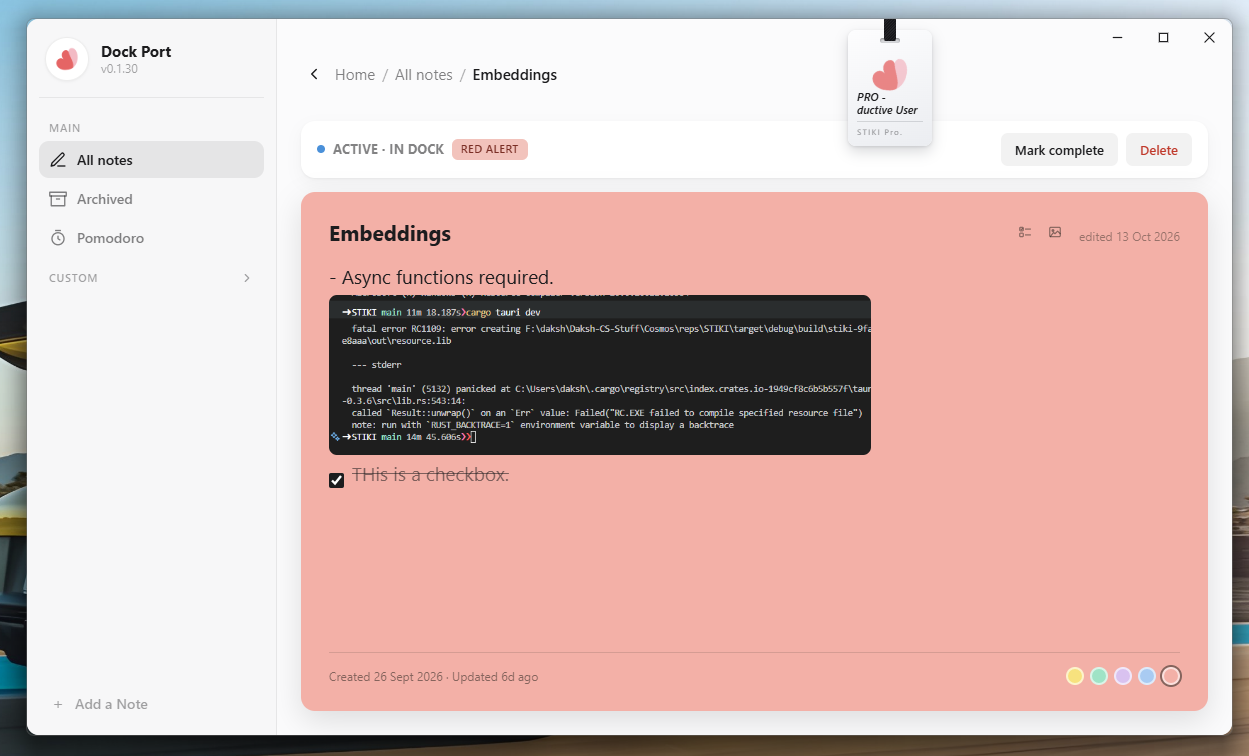
Auto sync
Point Stiki at a synced directory and your notes follow you. Edits are saved automatically, so every machine you use shows the same deck.
Get Pro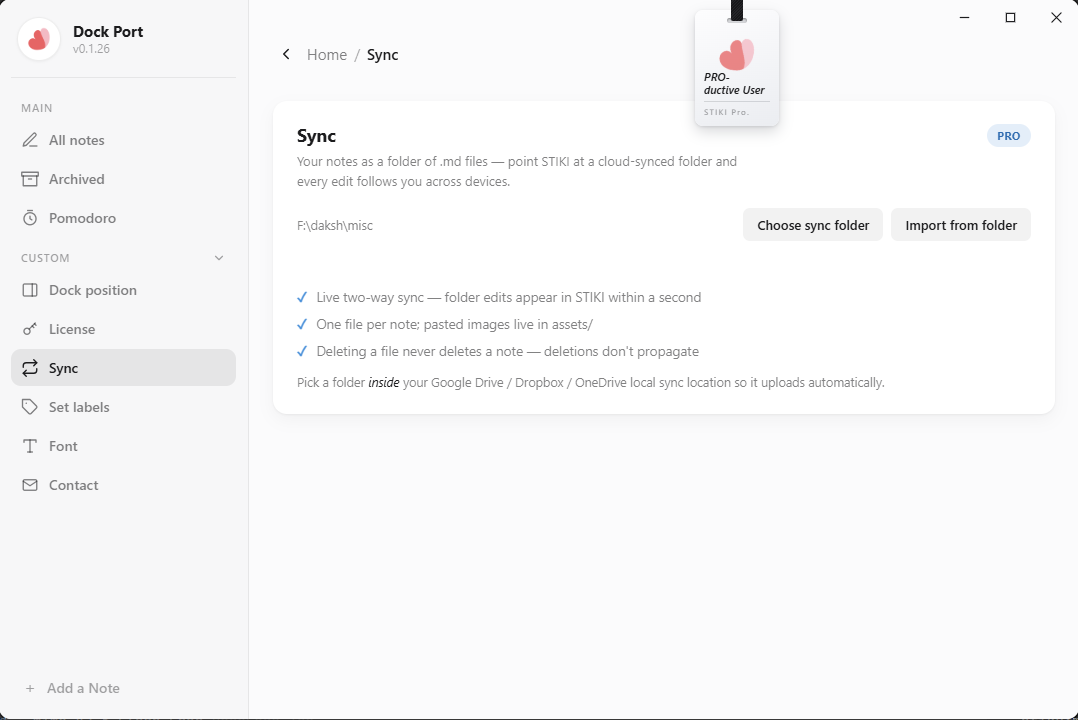
Multi-pin
Pin more than one note at a time. Keep your current task, a reference, and a reminder all on screen while the rest stay at the edge.
Get ProPricing
Pick your perfect plan
no hidden fees
Try Stiki for free. Upgrade to Pro when you're ready — one payment, lifetime access.
- Lifetime access — all updates included
- Unlimited notes.
- Community support
- Early access to new features
- Everything in Individual — all updates included
- Centralized synced directories for notes/todos.
- Markdown accessibility with images/checkboxes.
- Custom Note Labels
- 2+ Note Tab pins.
- Dedicated support.
- Everything in Pro, per seat
- Volume pricingfor 5+ teammates
- Centralized synced directories for notes/todos.
- Markdown accessibility with images/checkboxes.
- Custom Note Labels
- 2+ Note Tab pins.
- Dedicated support.
- Custom onboarding.